Redefining possibilities in Testing
Enterprise grade test platform, powered by AI and QA Intelligence
Seamless integration with:



























Centralized Hub
Seamless Control
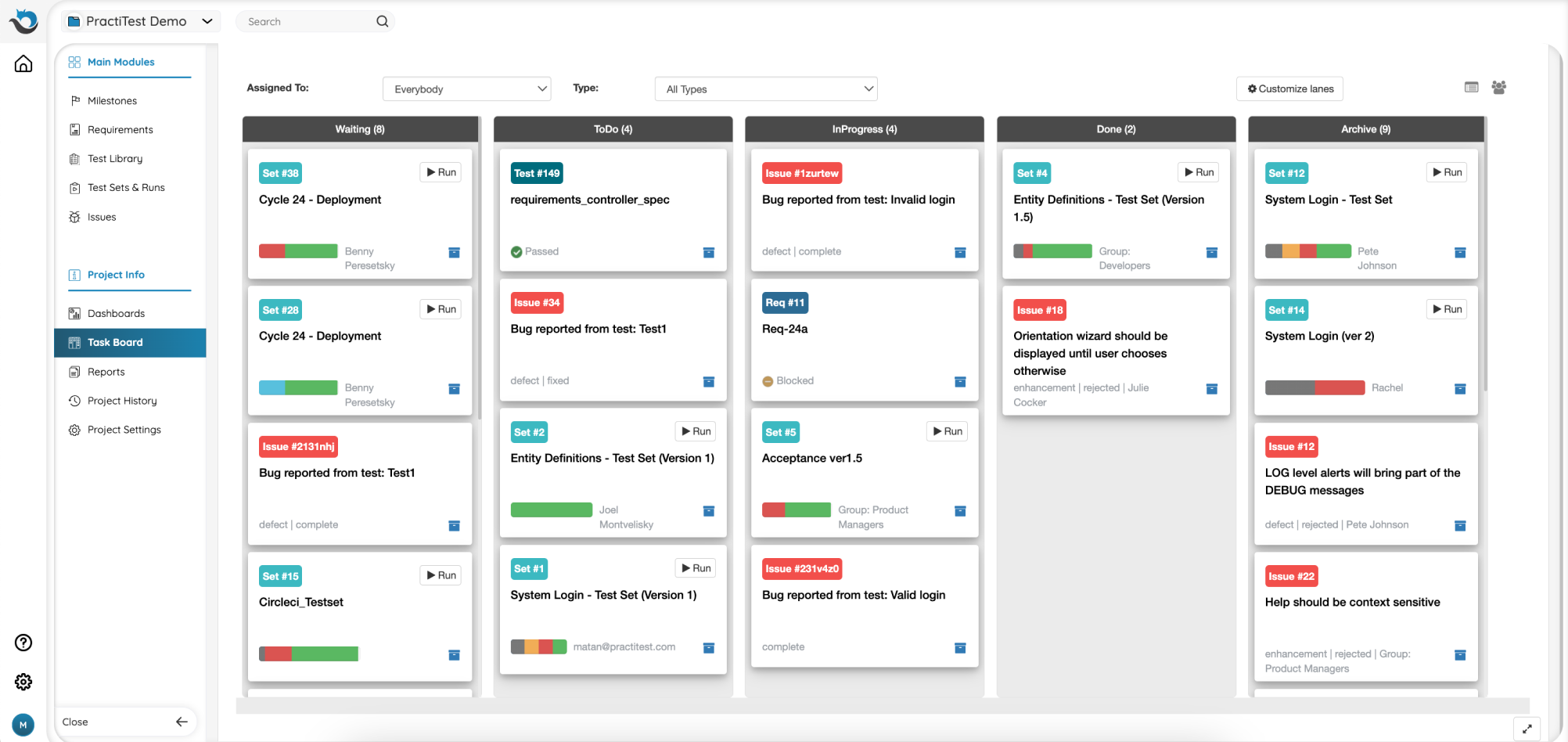
Experience the power of PractiTest's end-to-end test management platform.Centralize your QA work, processes, teams, and tools for accelerated workflows and invaluable end-to-end visibility.
- Manage any type of testing in one shared platform.
- Effectively manage and trace all of your QA artifacts and gain immediate full coverage visibility.
- Experience seamless integration ,eliminating data silos and enabling a holistic testing methodology.
MAXIMIZE PRODUCTIVITY
Redefine QA Excellence
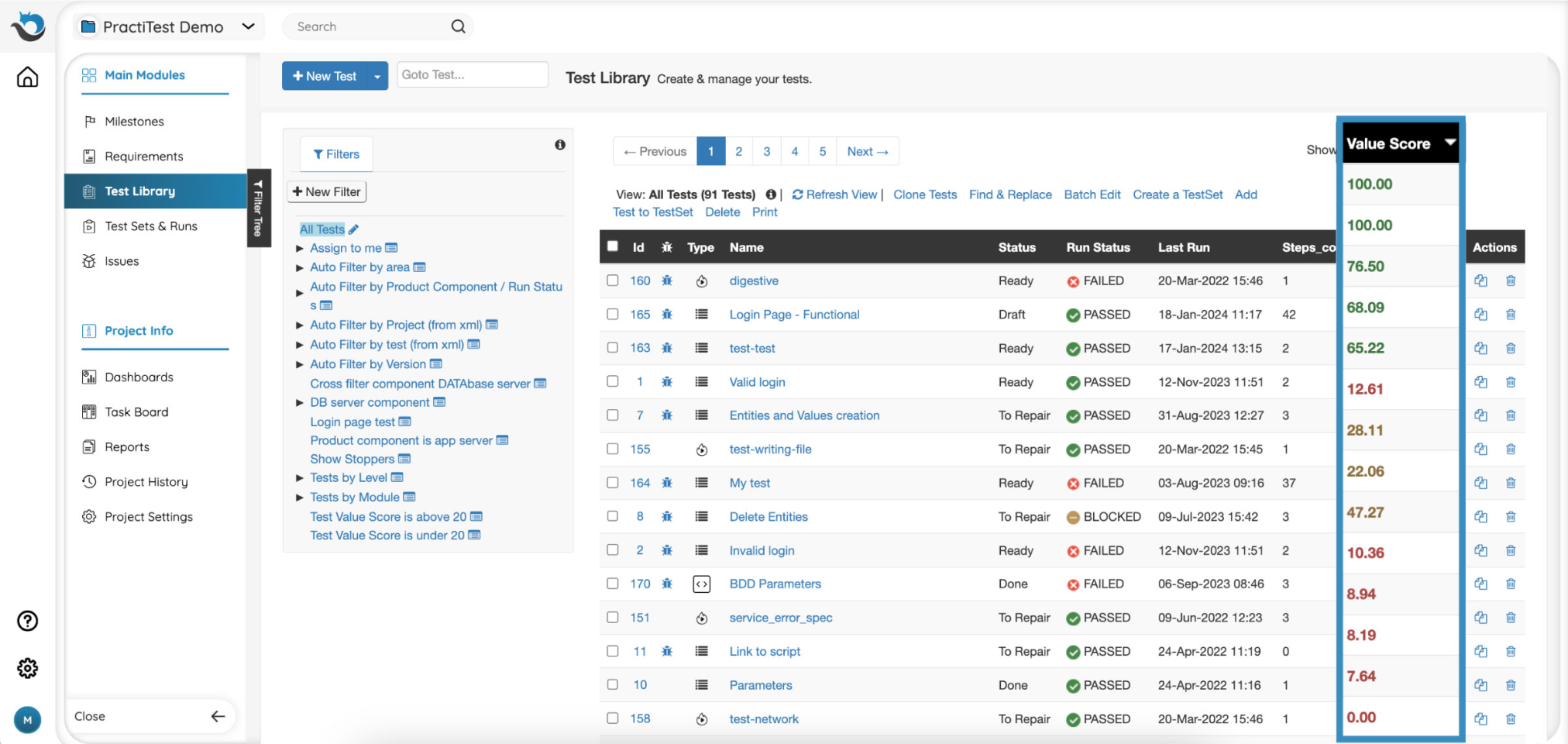
PractiTest’s advanced and AI-driven capabilities help you optimize your QA operations by enabling you to streamline time-consuming tasks and prioritize your actions.
- Efficiently reuse test cases and test steps to save time on duplication.
- Accelerate test case creation. Automatically generate well-defined steps and adjust them to suit your needs with Smart Fox AI assistant.
- Prioritize execution utilizing advanced machine learning algorithms and AI. Test value Score AI offers a tangible measure of each test case’s impact on your testing process.
Real-Time VISIBILITY
Superior QA Intelligence
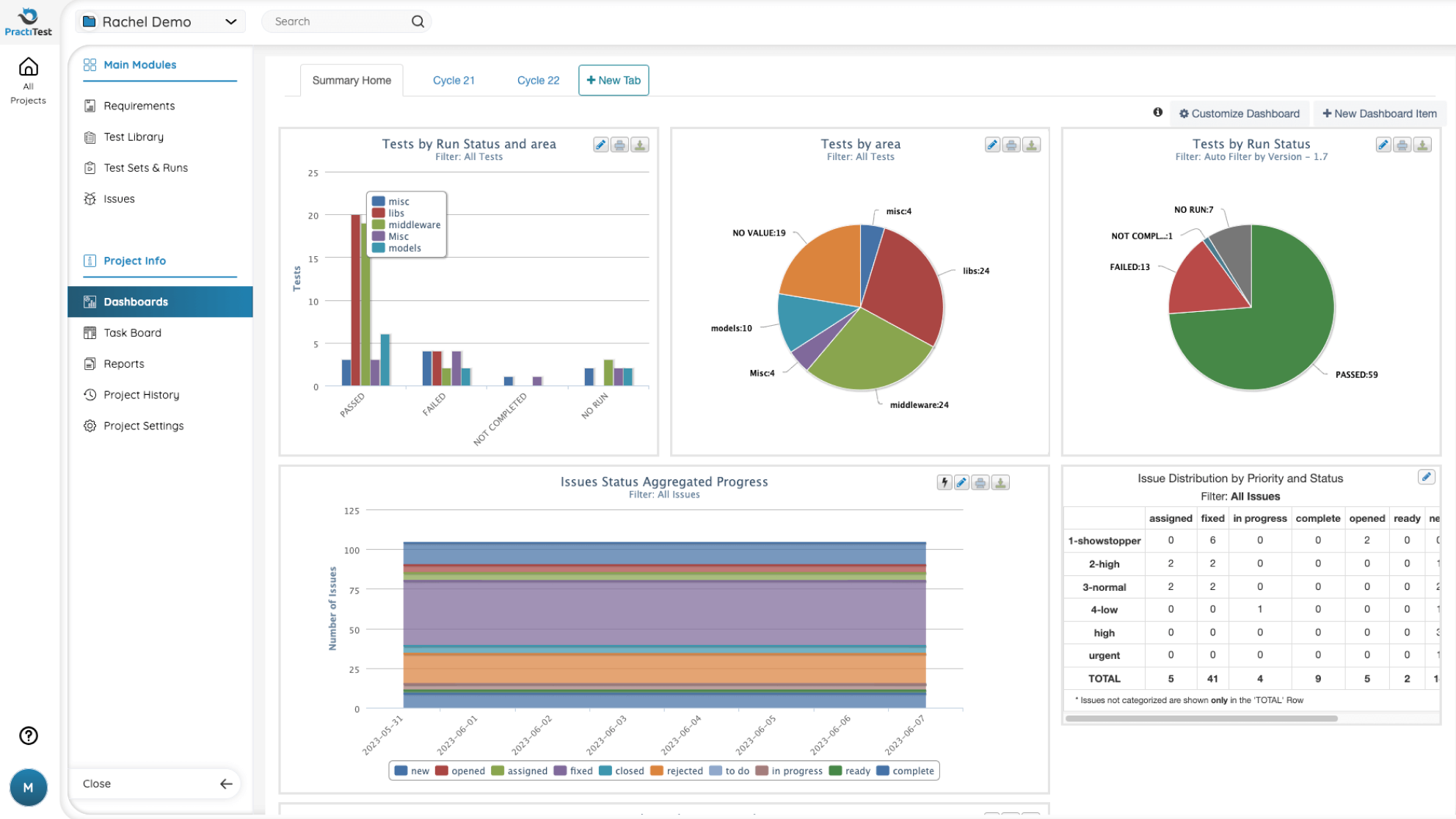
Whether you need laser-eye or bird's eye view, PractiTest’s customized, multi-dimensional filtering allows you to slice-and-dice your data and gain various perspectives to help make strategic, data-driven decisions throughout planning and execution.
- Get real-time data and insights into bottlenecks in your testing process, allowing you to forecast your release, analyze risks, and make adjustments.
- Let our dashboards speak for you. Present the depth of analysis and decision-making process to management clearly and concisely.
- Share dashboards with anyone - no login necessary. Easily embed reports inside other reporting tools for maximum flexibility.
- Download granular, detailed reports to Excel to fit internal processes.
Advanced Core Architecture
Untangled Complexity
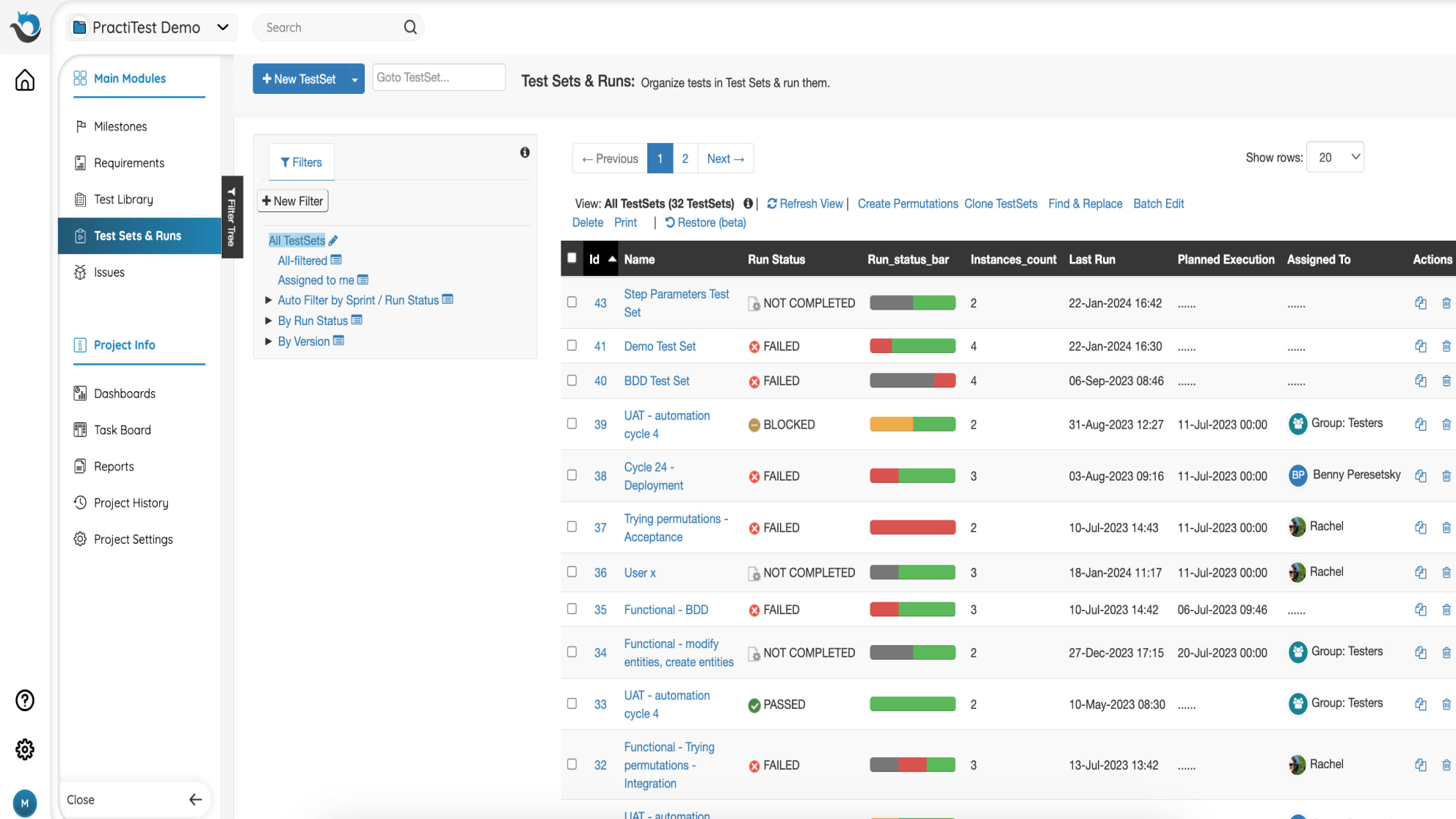
PractiTest's foundational architecture and data management capabilities empower you to effortlessly navigate even the most robust testing demands, meet aggressive time-to-market goals, and deliver superior software quality.
- With PractiTest, you are only a few clicks away from any report and insight you need. Say good-bye to endless searches and data aggregations in excel.
- Manage a single test repository to leverage existing test cases and eliminate duplications.
- Group test cases in test sets to dynamically organize executions.
- Easily manage and track your project with milestones.
Ready to explore Practitest?
Watch a quick Demo
Practitest End-to-End Centralized Hub